Rig a Humanoid Character
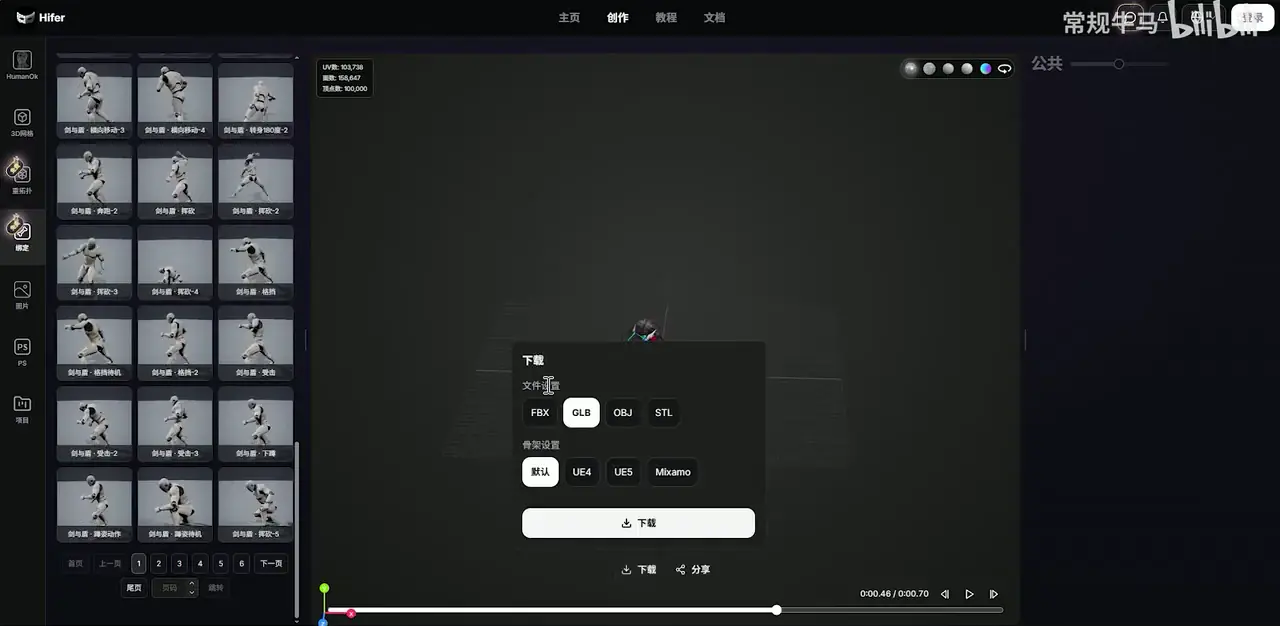
Rig a 3D character in Hifer, check the body and hand joints in an animation, and download the skinned model as FBX or GLB. The selected preset animation can also be included in the export.
Load a humanoid model
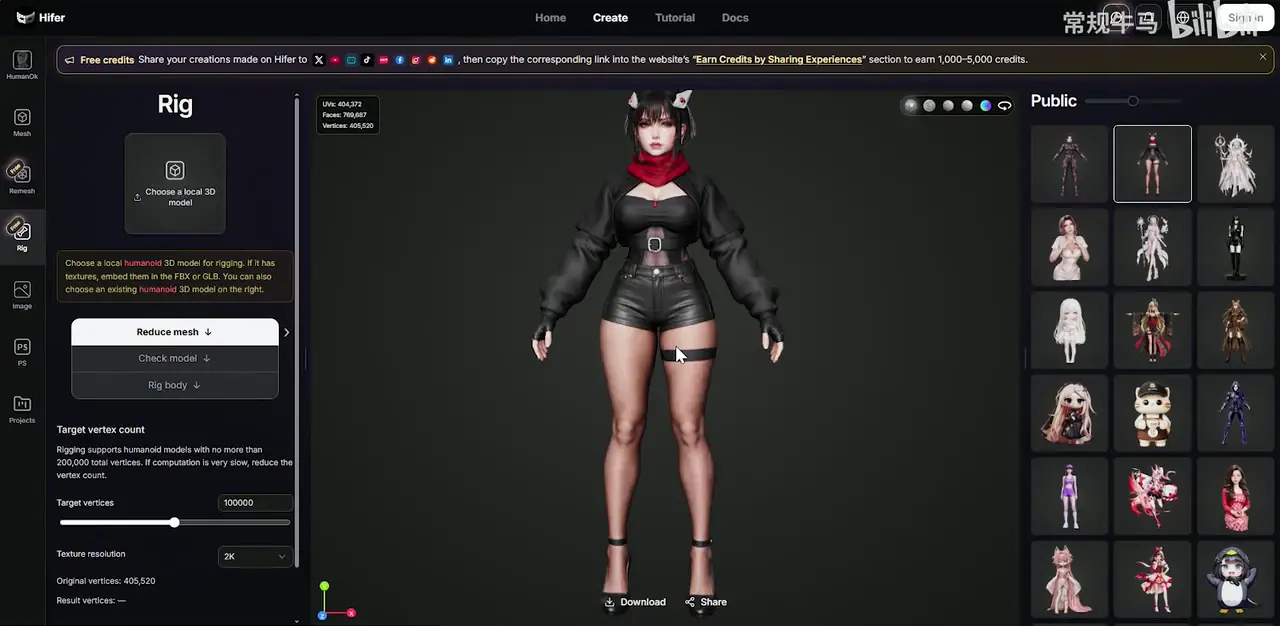
Open Rig and choose a character in an A-pose or T-pose with its arms and legs separated. For a textured character, use an FBX or GLB with embedded textures.
Prepare and center the model
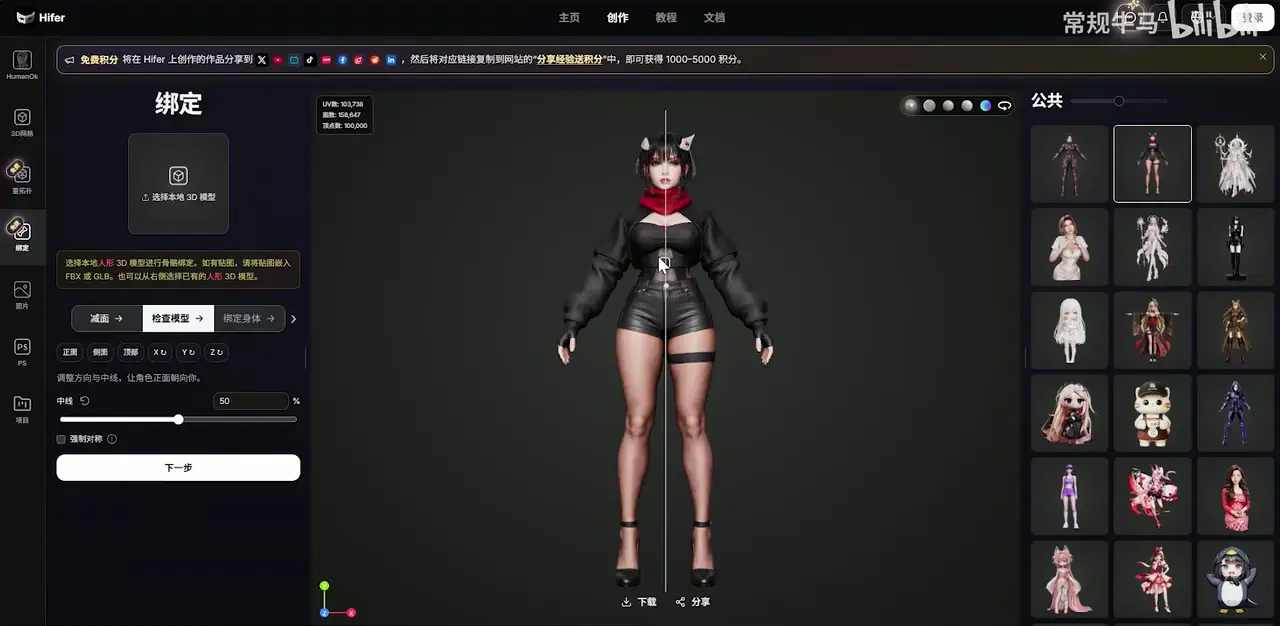
If the model has over 200,000 vertices, reduce it and compare the result with the original. Face the character forward and set the centerline through the middle of the torso.
Check the body and hand joints
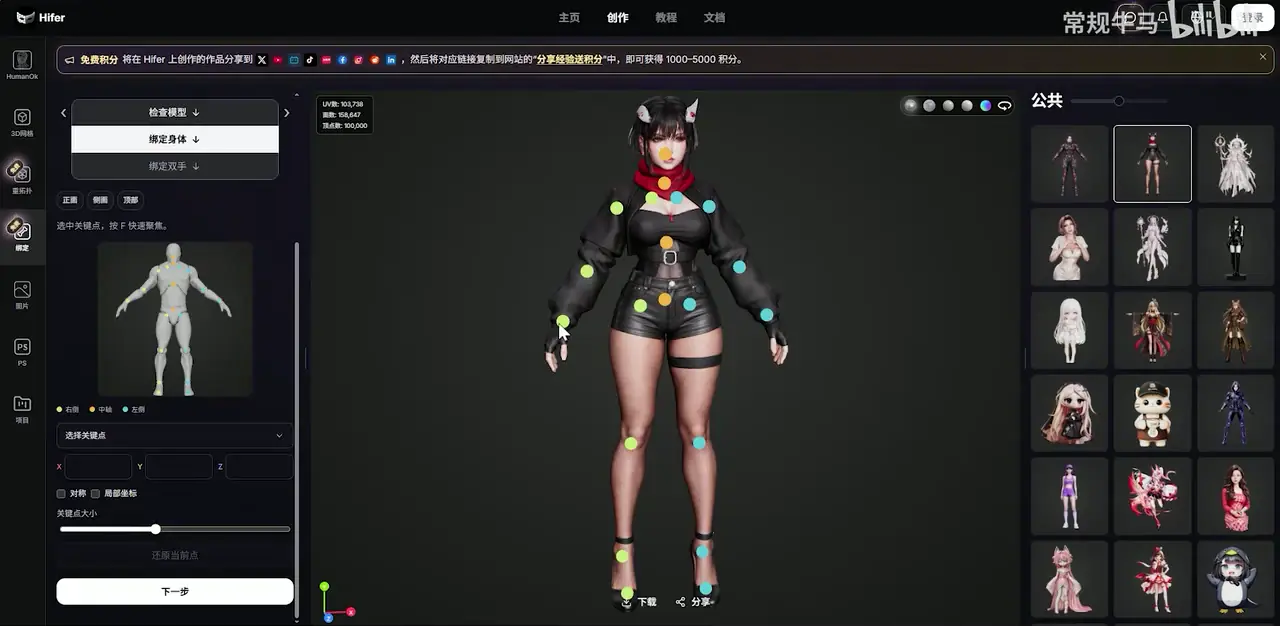
Click Next and check the detected markers from the front and side. Move any markers that miss the shoulders, elbows, knees or wrists. Then check the finger joints in Rig Hands.
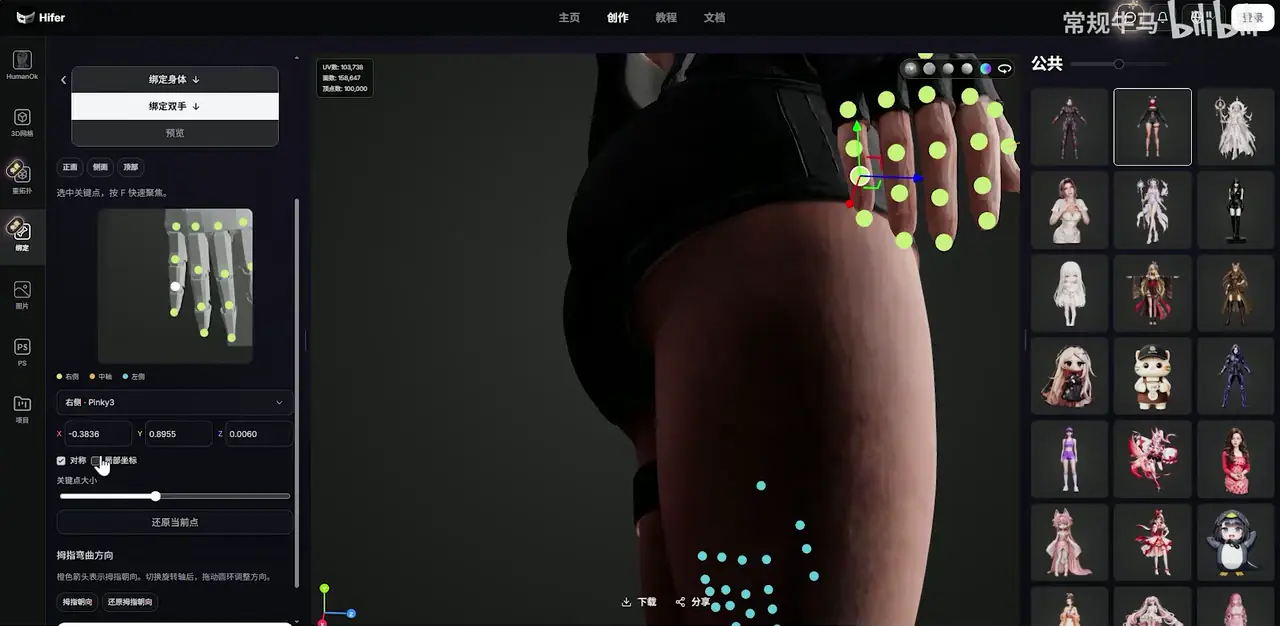
Bind and preview the character
Continue to Preview and select a motion from the animation library. Look for unexpected bends around the elbows, knees and fingers. Go back and adjust the markers if needed.
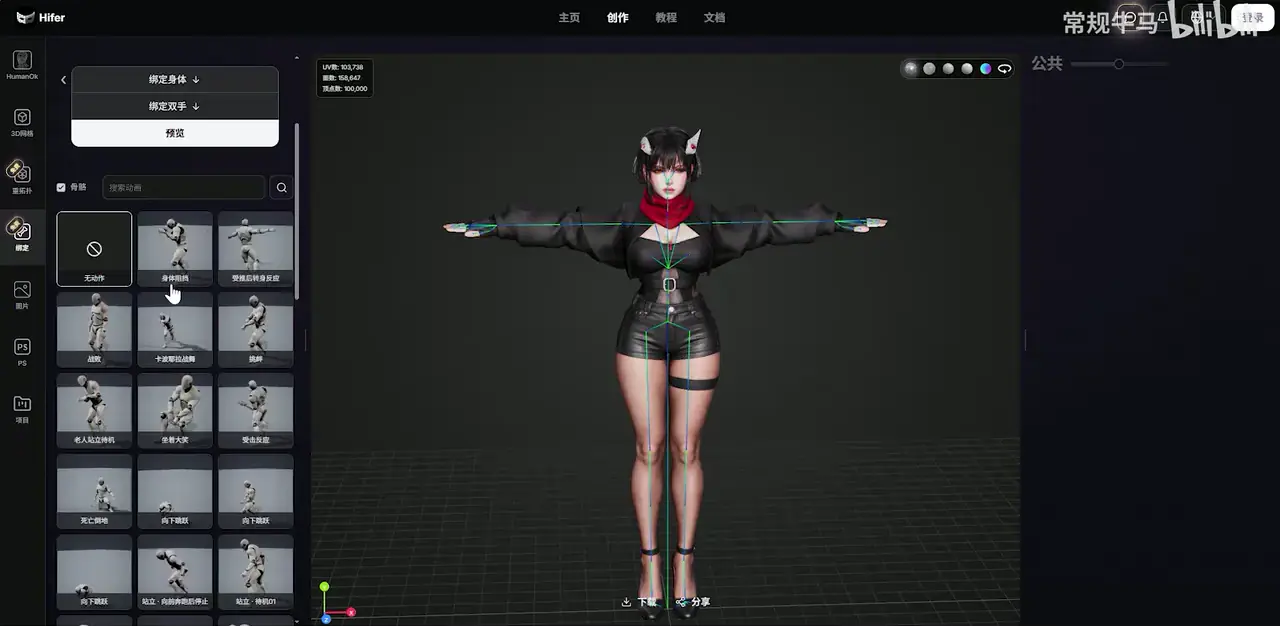
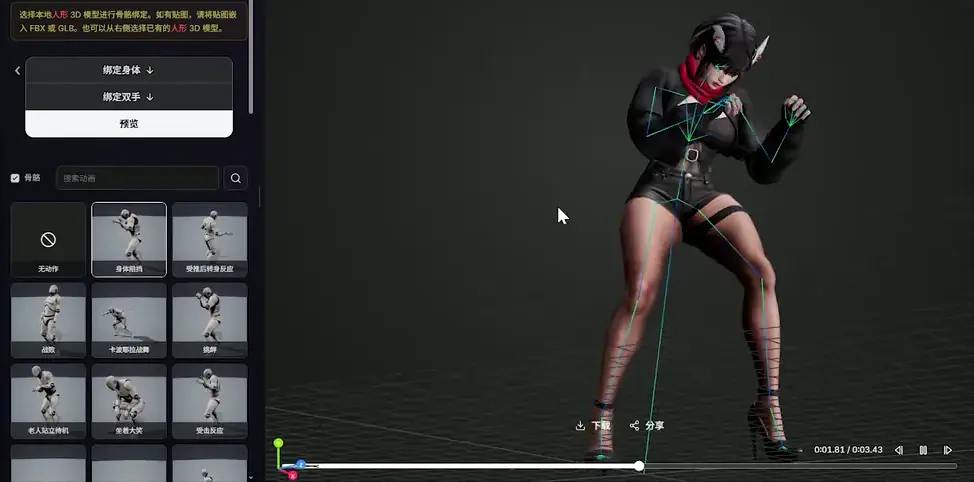
Download the rigged model
Click Download and choose FBX or GLB to keep the skeleton and skin weights. Select a skeleton preset only if your target workflow calls for one. To include a preset animation, select it and play it in Preview before downloading.